How I built Pegs Out, my first iOS app
What I learned building with Claude and shipping to the App Store.

I’ve wanted to build an iOS for many years, but the time I would have needed to learn Swift, Xcode and everything else was just too much. Even for someone with a technical background, the barriers to making software were too high to overcome.
Of course AI has changed that in the last year.
So I am very happy to launch my first iOS app: Pegs Out.
Check it out and let me know what you think, it’s free!
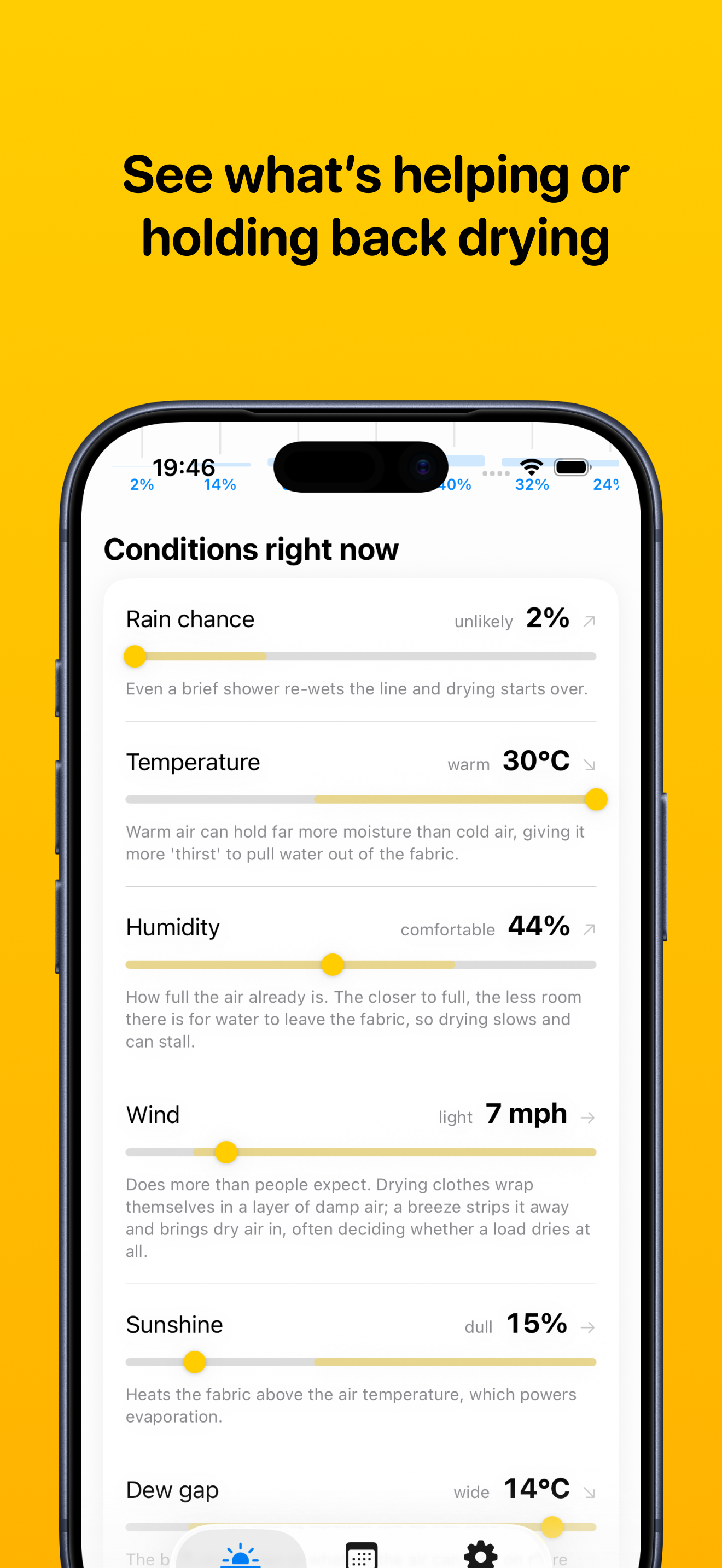
Get your Pegs Out
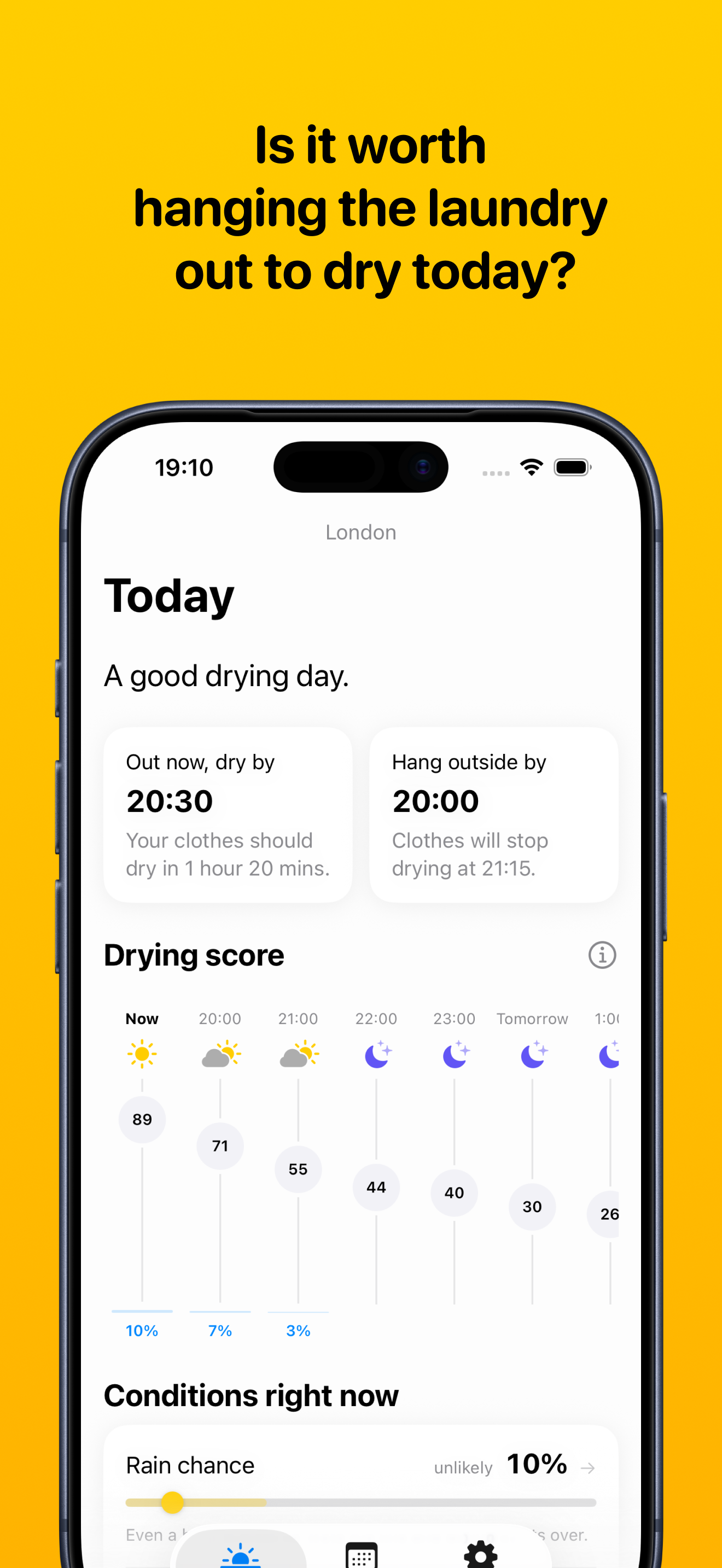
Pegs Out solves the problem of should I put my laundry out to dry today?
Imagine it’s 3pm on a cloudy 12ºC spring day. If you hung your clothes on the line, would they dry in time or not?
It turns out that what causes clothes to dry outside isn’t what you might imagine. Hotter days help, but why (because warmer air can hold more moisture than colder air)? Some factors (wind) are much more important than you might realise. Others (the dew gap) most people wouldn’t have ever heard of.
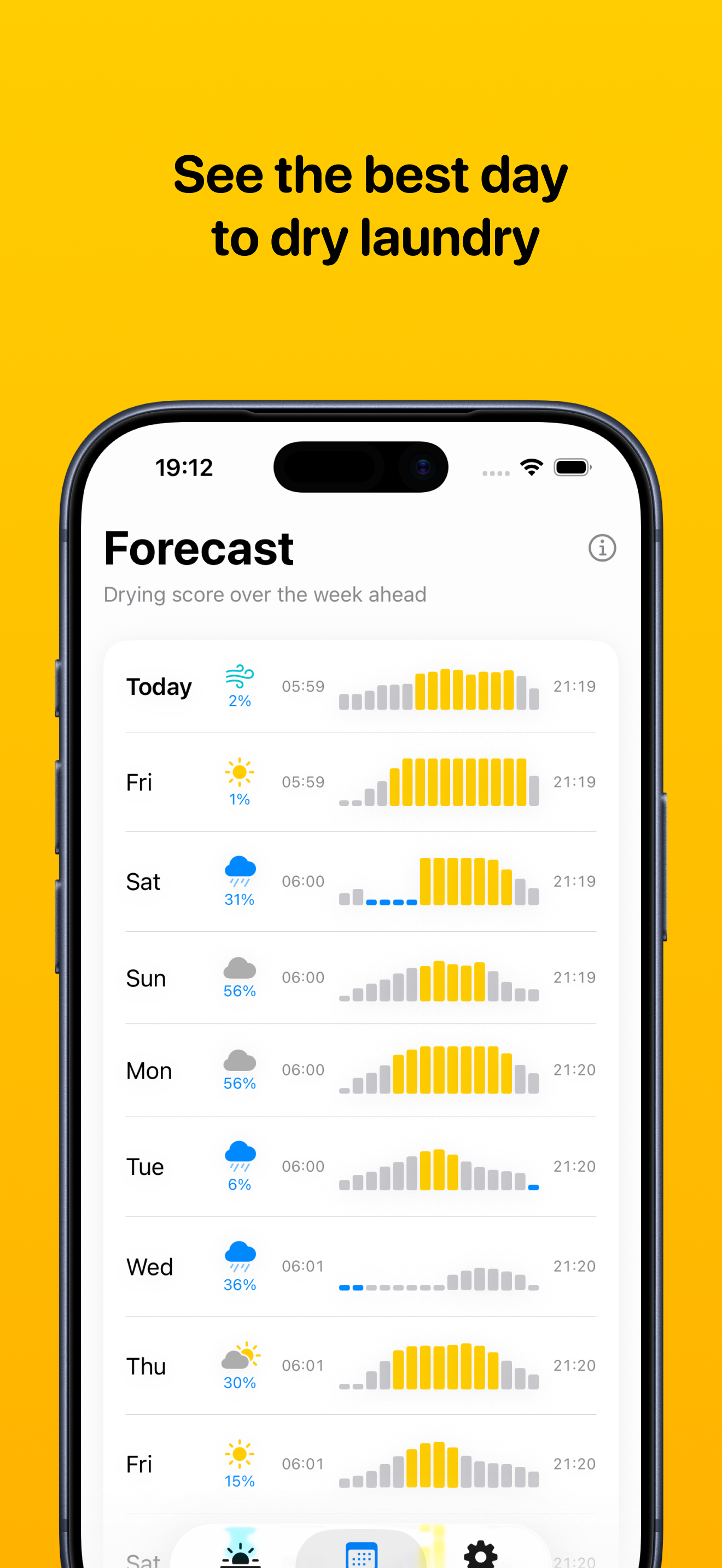
Pegs Out takes all of these factors and combines them into a single ‘drying score’ from 0 to 100. It tells you if your laundry will dry and approximately when. You can see when the last chance to hang clothes outside is and when drying stops.
Before we code, we learn and plan
I’ve been looking for an idea to build an app around, something that is simple and not something that necessarily requires me to build a business around.
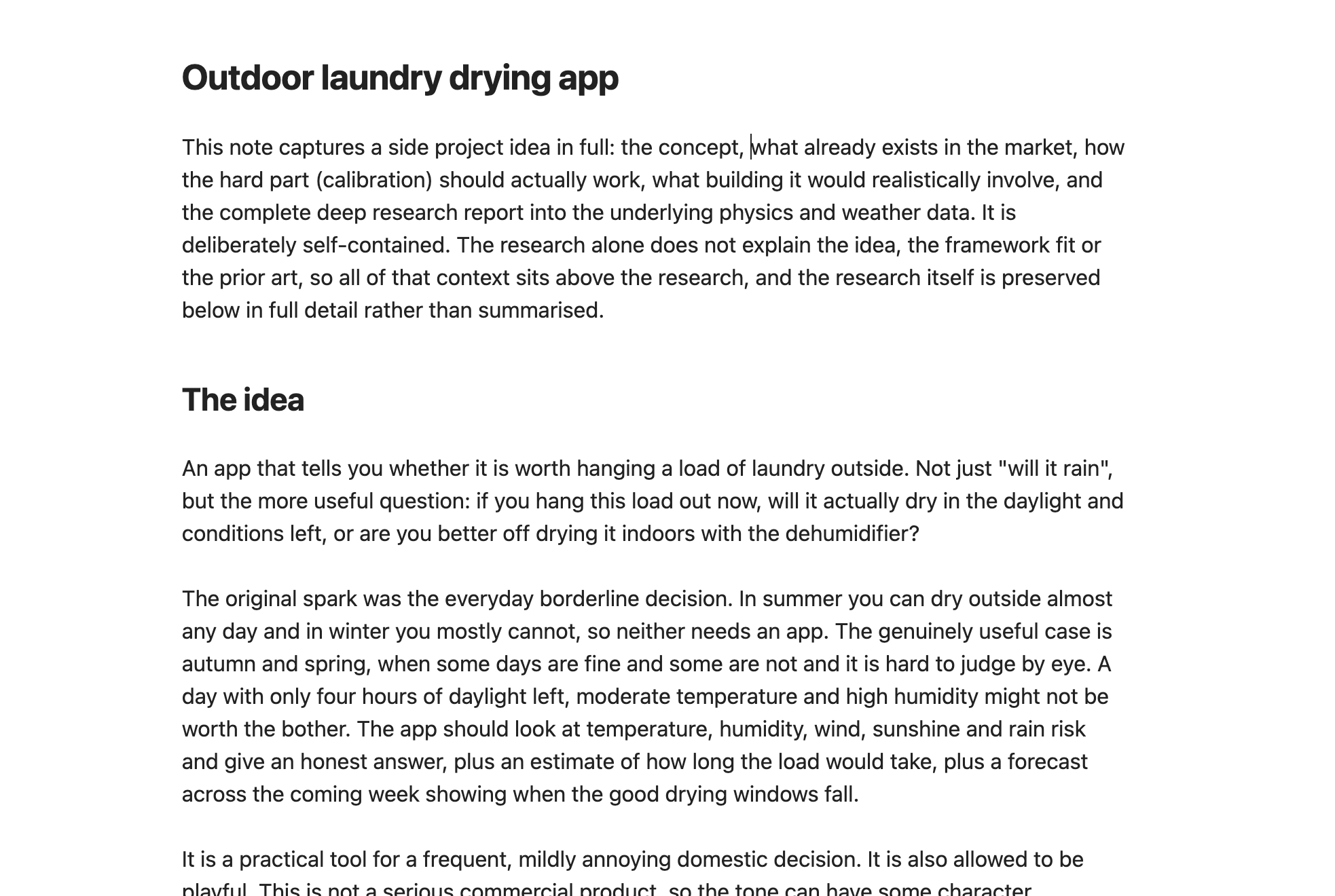
Once I had the idea, I had Claude run some initial research to explore the problem space. What is the physics behind drying? How do you build an iOS app? What APIs could I use (for free)? After some back and forth, this came together in a brief for the app:
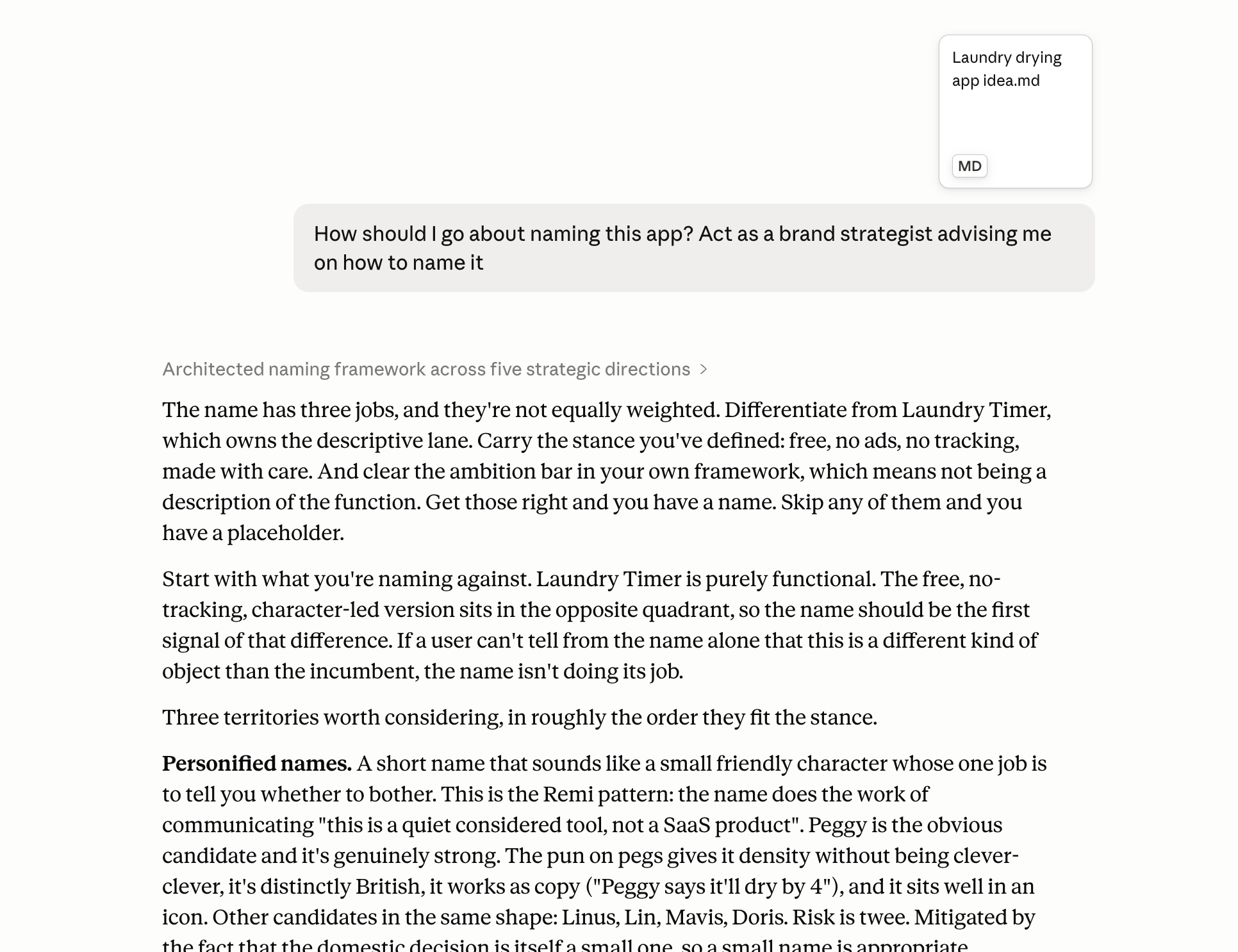
Then it was on to picking a name, because you’ve got to call the code repository something. And I find that having a name is the difference between an idea and a real thing.
Naming is great example of a task that AI can help you with by generating a lot of ideas, but it’s never going to pick the best one. That’s down to your own taste and preferences. Once we had a good candidate, Claude went off to do its due diligence on ‘Pegs Out’.
Once I had created the repository on GitHub, it was time to do some proper research and planning. I had Claude go off and document two things:
- The physics: How do clothes dry outside and how can we model it? Are there well established formulas and academic research around this? It turns out that there are some well used formulas, but the research is very thin.
- How to use Claude to build iOS apps: I wanted to know all the best practices so I could avoid the common pitfalls. Other people have done this before - what have they learned?
Claude wrote all of its findings up as markdown files in a /docs/research folder. This was more for it than me. The point of this is to build context that it can use later.
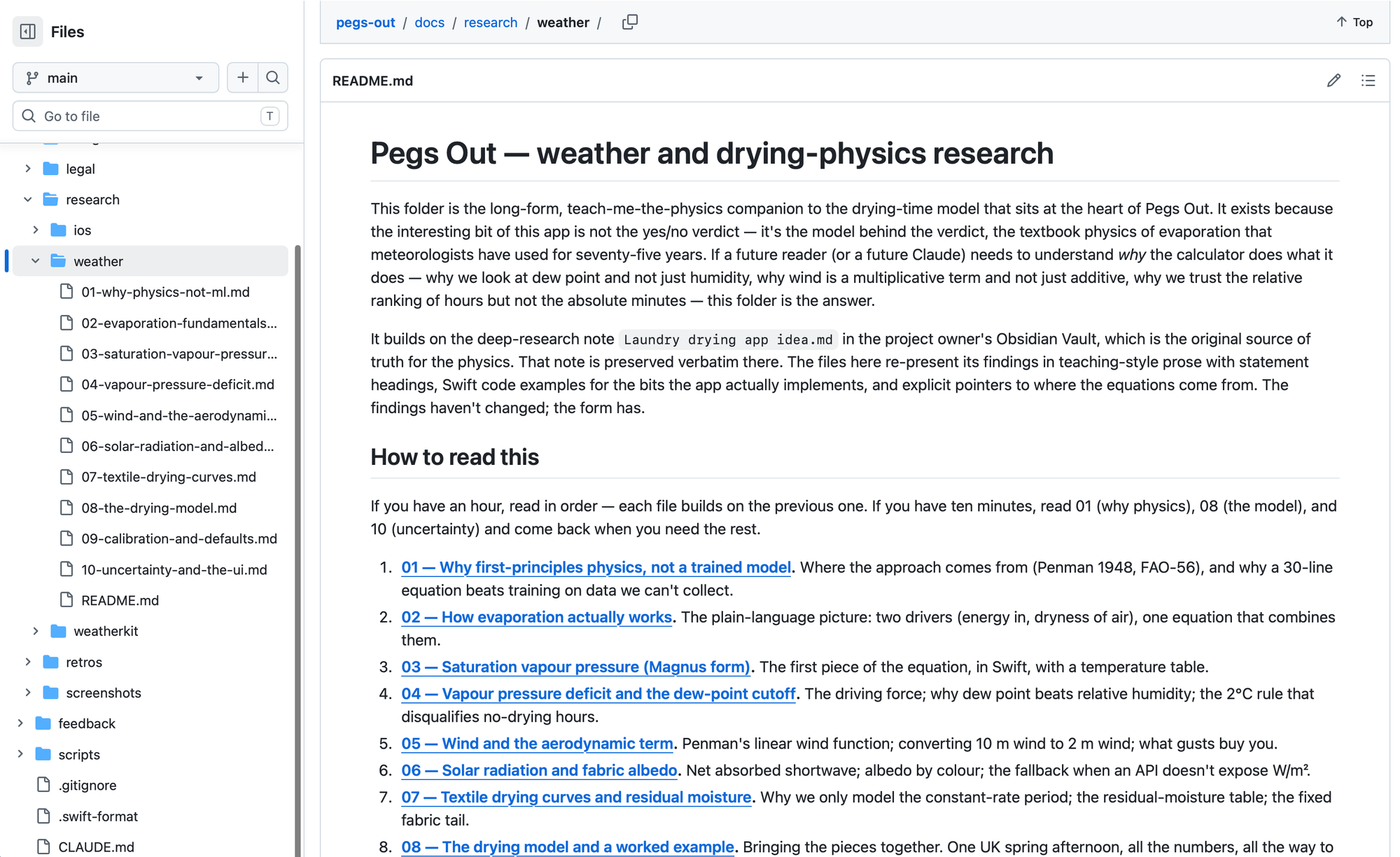
Doing this upfront research isn’t strictly necessary. You can just type a prompt into Lovable and be done, but to get the best results, getting the right context in place makes a huge difference. You’re going to be making a lot of decisions and best to make those as transparent as possible.
Is Claude Design any good?
Before jumping into code, I wanted to visualise what I wanted to build. What is the shape of the app? What information will I have on each screen?
I thought this would be a perfect opportunity to use Claude Design. I had a full brief document which I gave it and it came up with something decent, first in the wireframe mode and then “high fidelity” (which, let’s be honest, is really a coloured-in wireframe).
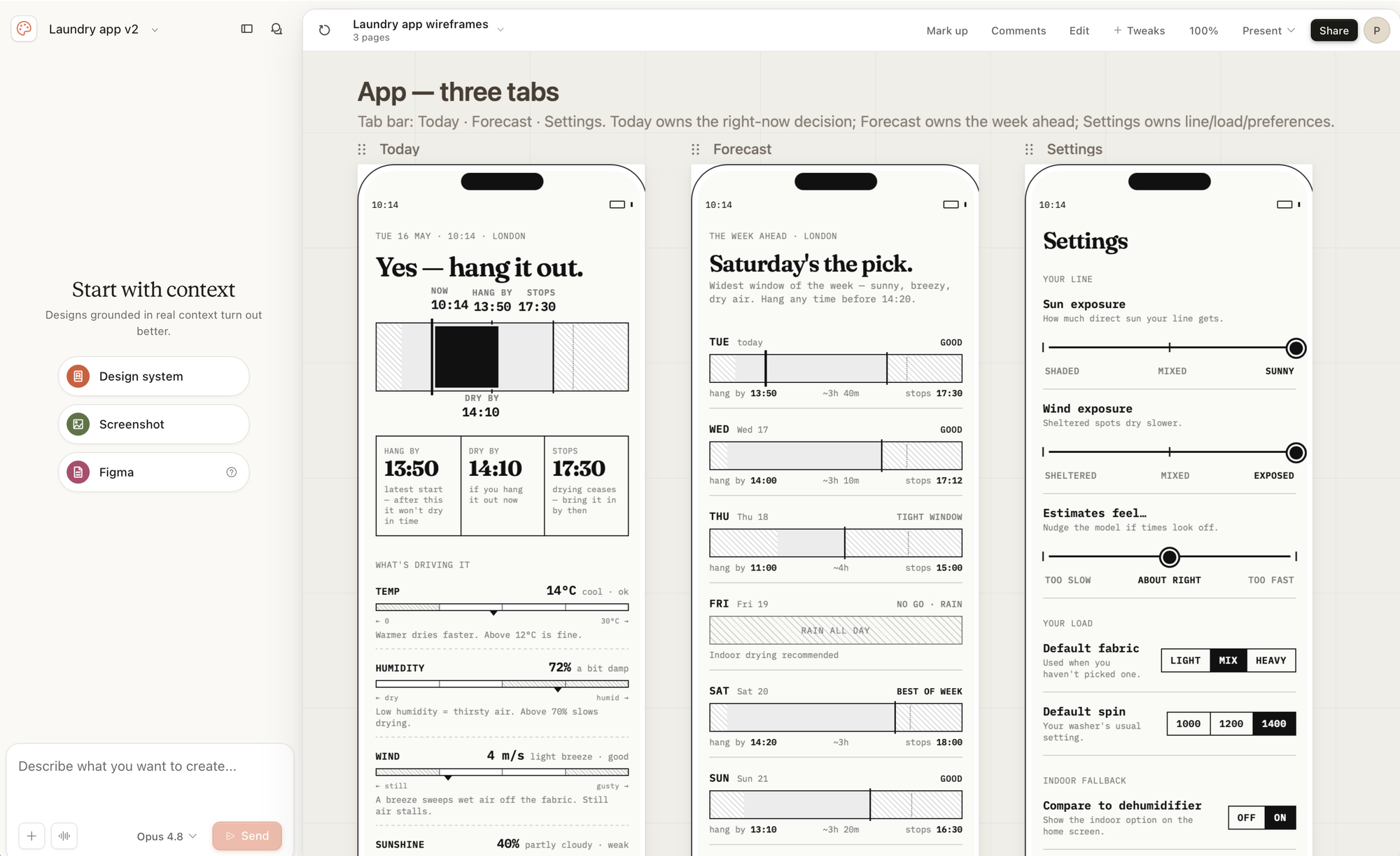
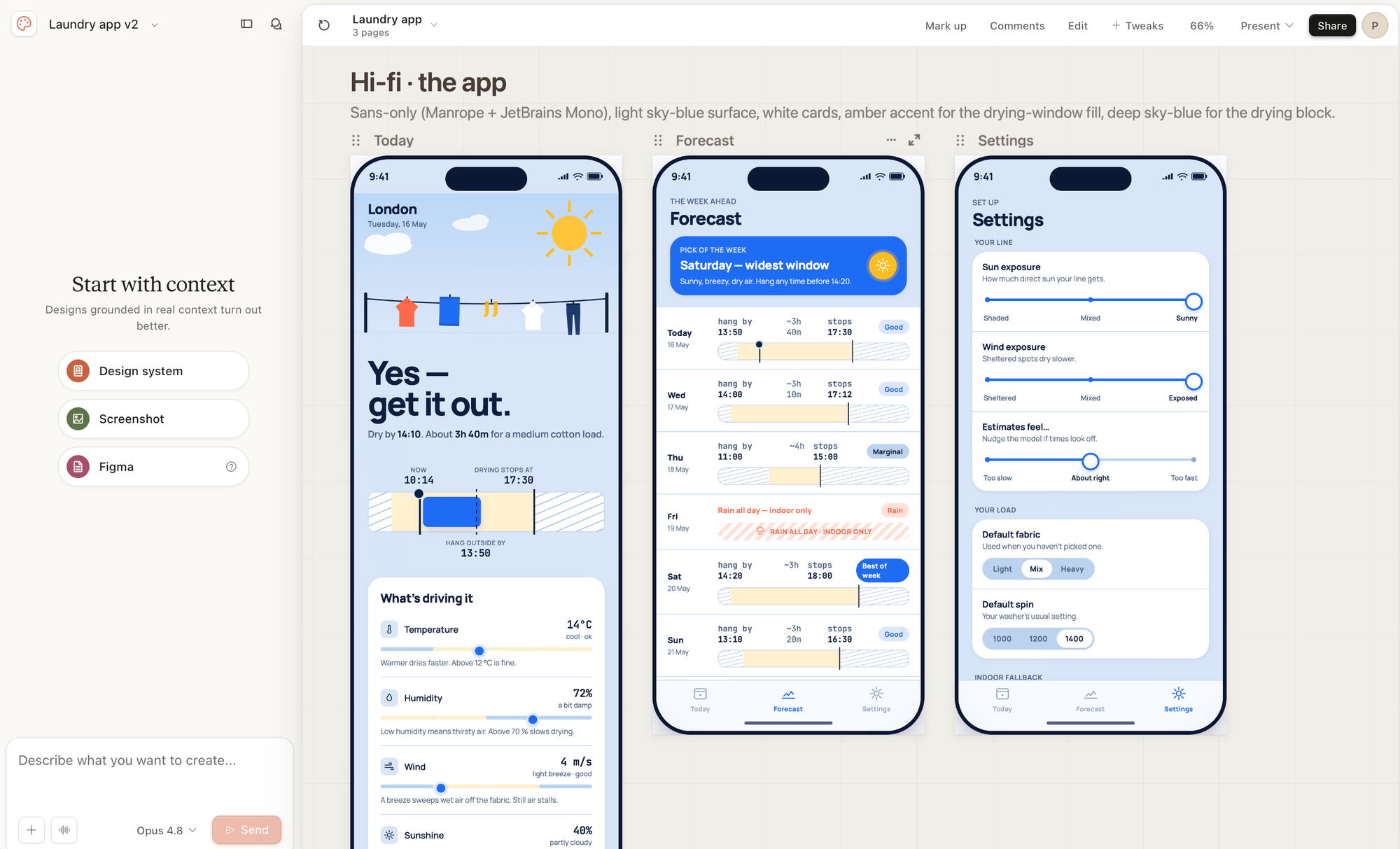
Claude Design - wireframes and then ‘high fidelity'
Claude Design is a good thinking tool, a rapid prototype tool. I’m not sure it’s a capital-D Design tool because although it stumbled on some good conventions that I kept, it was terrible at solving my data visualisation and information design problems.
Building out the basic functionality
Once I had an idea of how the app would work, I got Claude to break the work down into separate issues and store these in GitHub. This is my preferred way to manage the project and its long-term context (which you have to do). Screens become issues/tickets and then you get Claude Code to work through one at a time.
I had also set up various skills which I adapted from a previous project. This codifies my ways of working which I loop through for each issue (i.e. feature):
- Claude writes an issue based on my input and stores it in GitHub.
/researchlooks at the issue, identifies gaps and does research to fill them, then posts back its findings and decisions I need to make./ghreads the issue and creates a plan to implement it./checkplaninterrogates the plan from different angles.- Then Claude starts coding.
/codereviewis run immediately after, looking for issues./finishcommits and pushes the code, comments on the issue and closes it.- When I’m ready to merge the code into the
mainbranch then I use/release
This may feel like a lot, especially if you are coming from a non-technical background, but these skills are essentially just simple text files that contain steps for the agent (Claude Code) to follow. Since coding follows such a repetitive process, it’s well worth doing as the time saved overall will be massive.
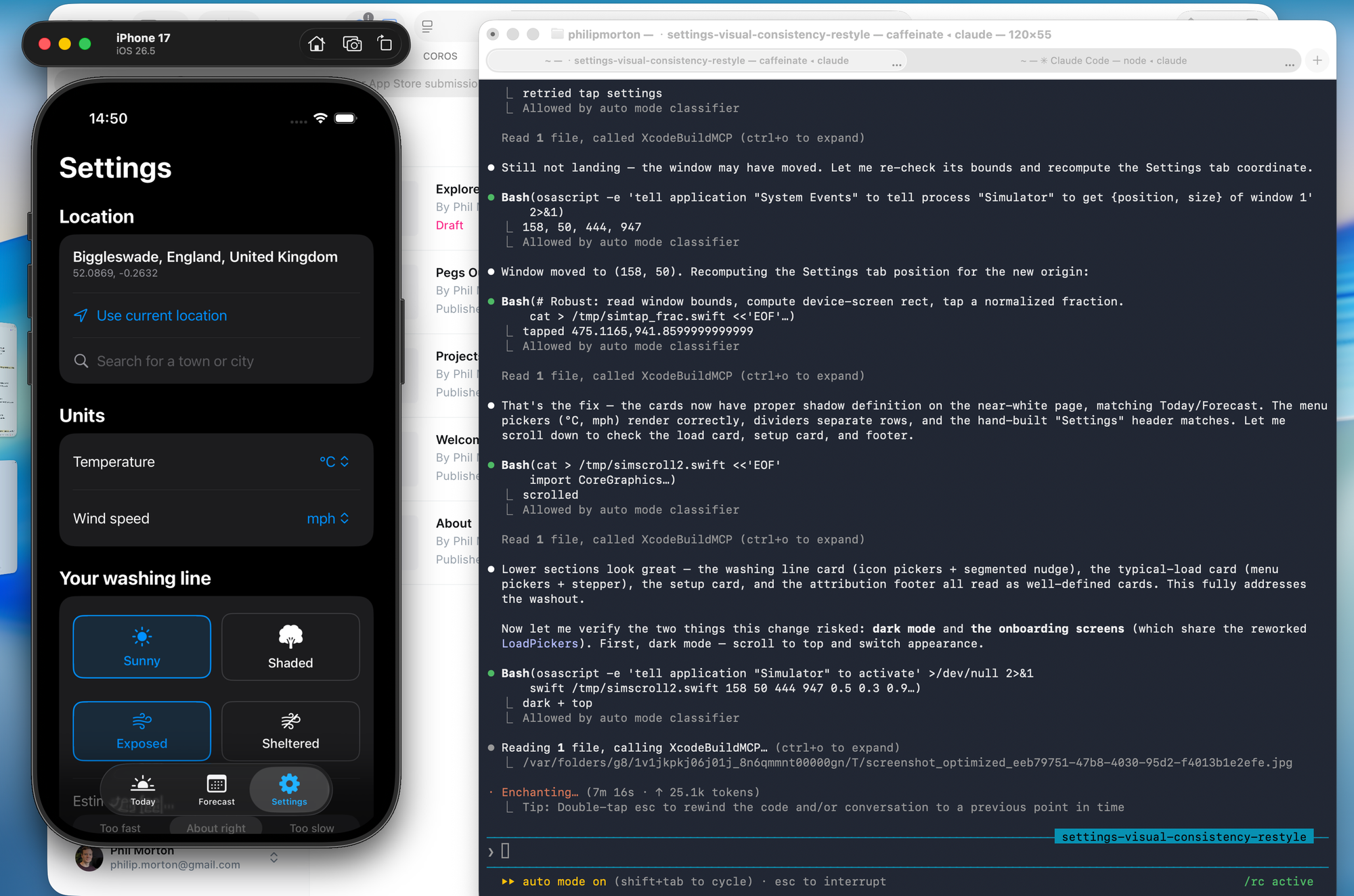
So using this loop, Claude built out the first version of Pegs Out in iOS. I also had to learn how to use Xcode (Apple’s coding app) as there are several steps you as a human need to do. Claude told me what to do whenever I got stuck.
We ended up with a decent MVP connected to real data, running on my phone, that I could test with.
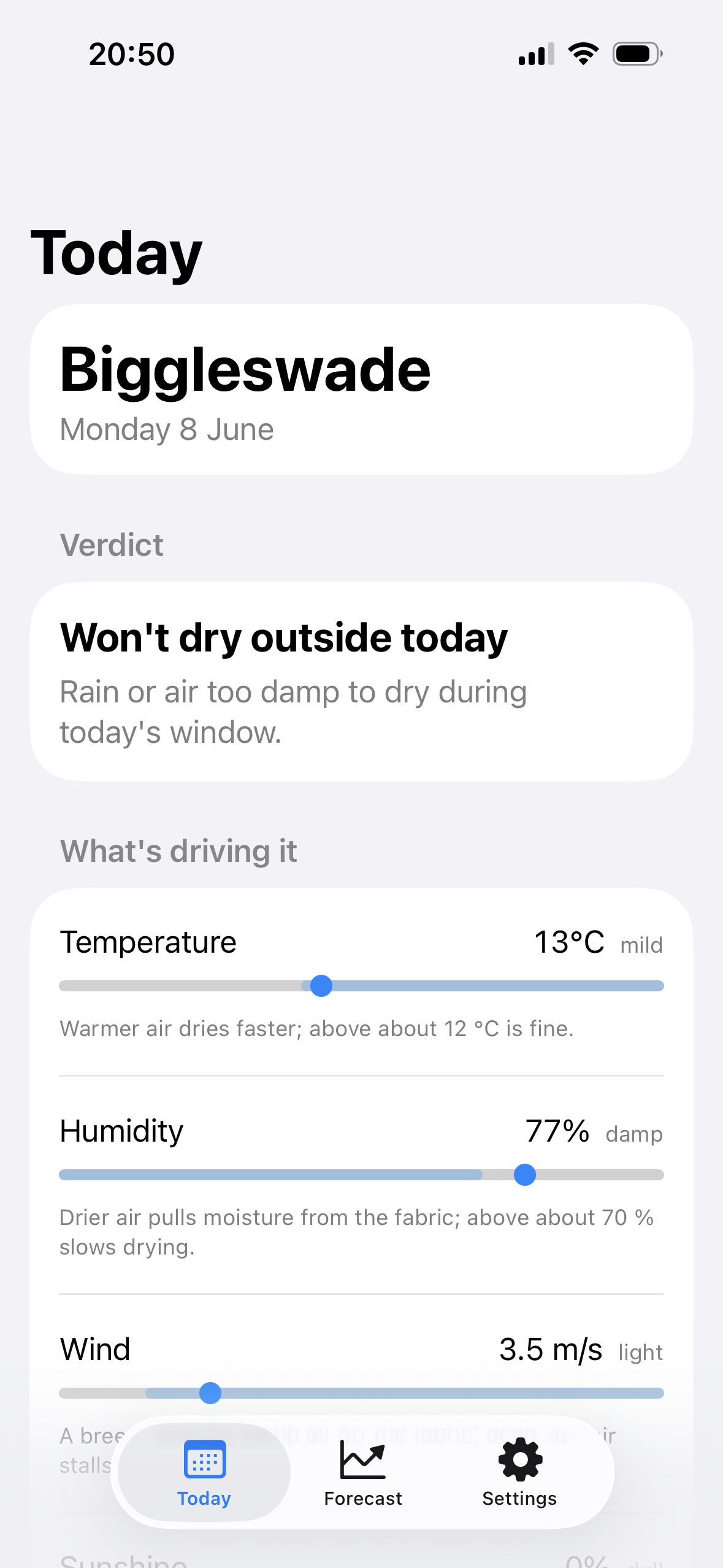
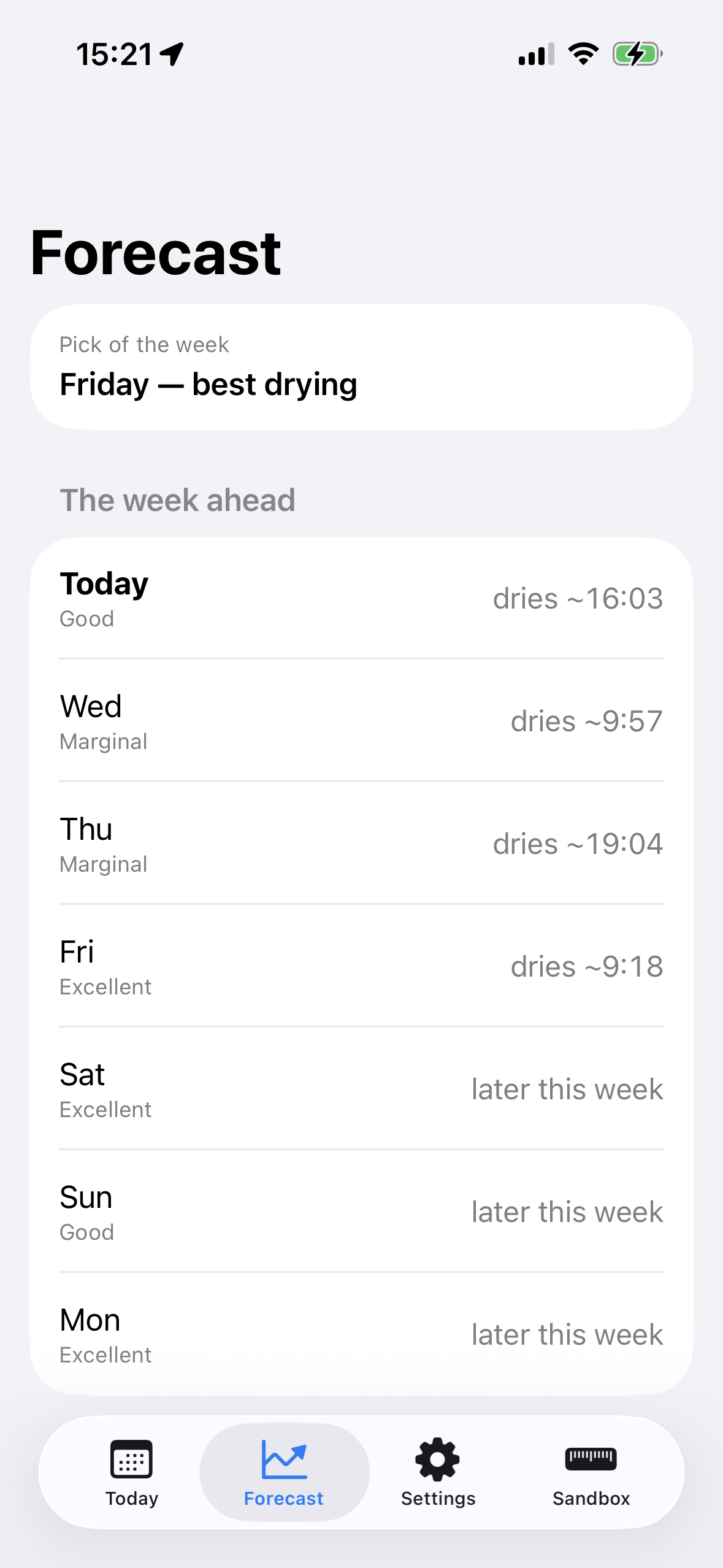
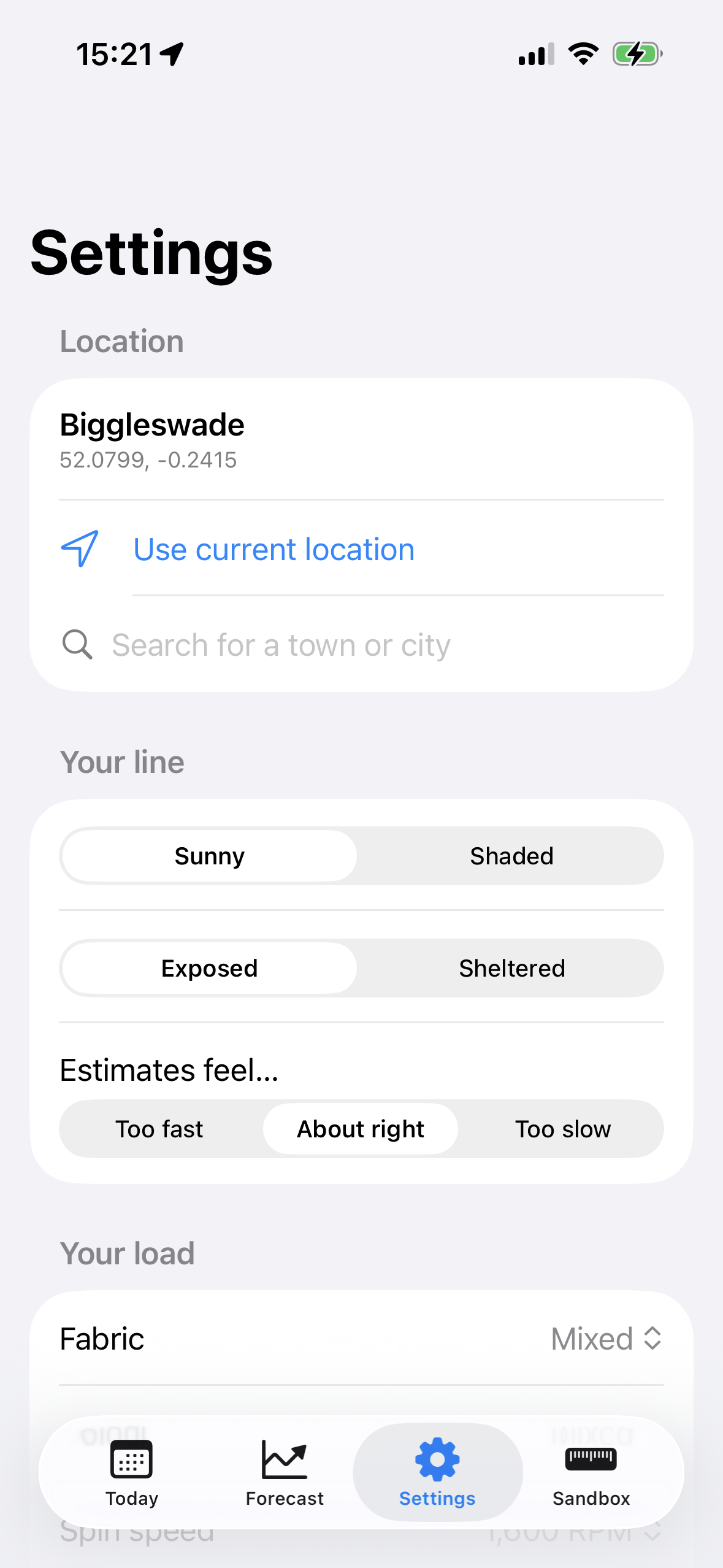
The first version of Pegs Out.
Getting from basic components to something that feels ‘designed’
To create the MVP, I asked Claude to stick strictly to out-of-the-box Swift UI components and not to create anything too custom. I wanted to deliberately separate the functionality and information design from the visual design and branding.
The trouble is that once you have the basic functionality working, how do you go from bare bones generic app to something that looks more polished? As someone with limited visual design skills, this was the hardest part of the project.
This is where I leaned heavily on established conventions in the weather app category. I downloaded a bunch of other apps and then borrowed UI concepts which I felt would work well with Pegs Out’s niche. Hello Weather and Carrot Weather were the main inspirations, and helped me realise how to redesign the Today screen to better convey the most important information.
This was the first point at which I used Figma. Moving away from stock-looking Swift UI, I wanted to be able to play around with how it looked without having to go through a loop with Claude. I didn’t mock up the whole app or all of the states in Figma, just enough to give Claude clearer direction. I don’t think anyone who says “Figma is dead” understands that sometimes you just need a place to freely explore ideas in this way.
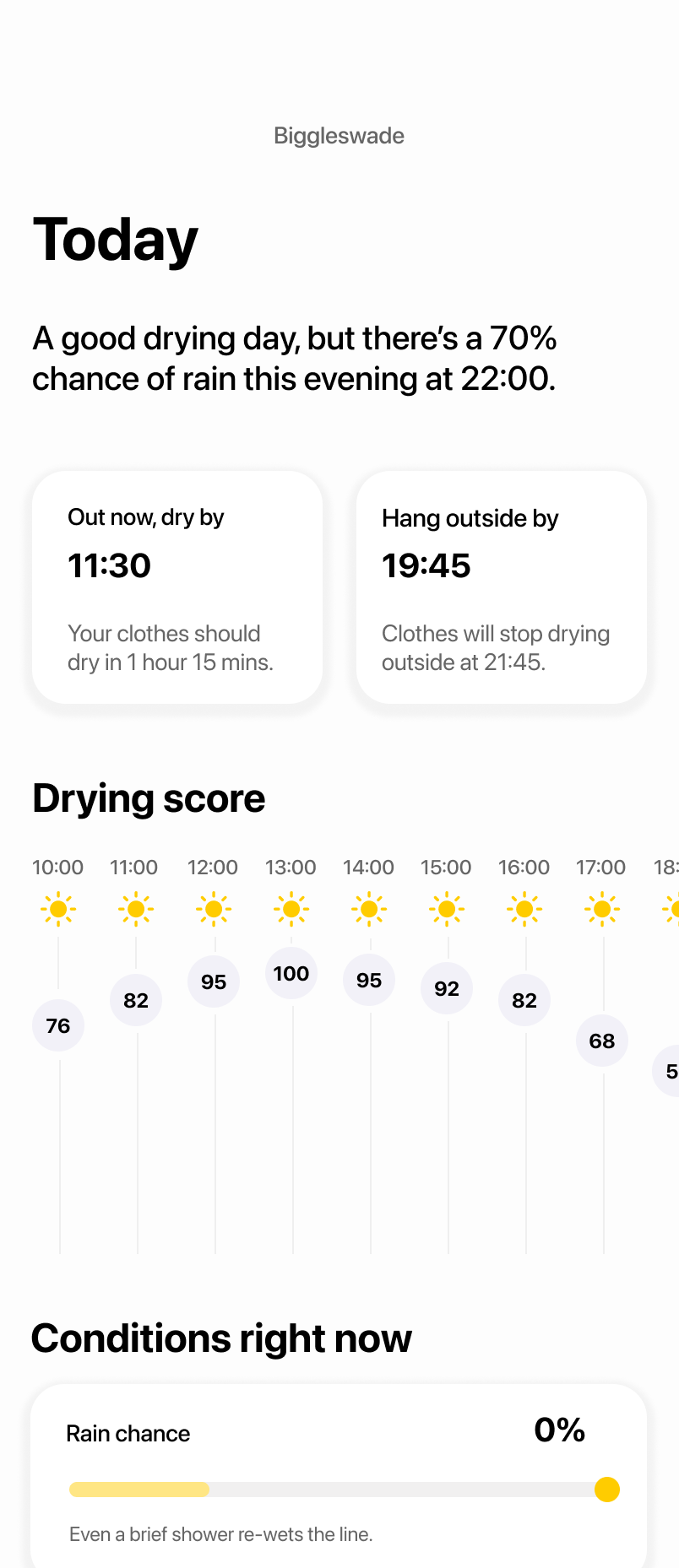
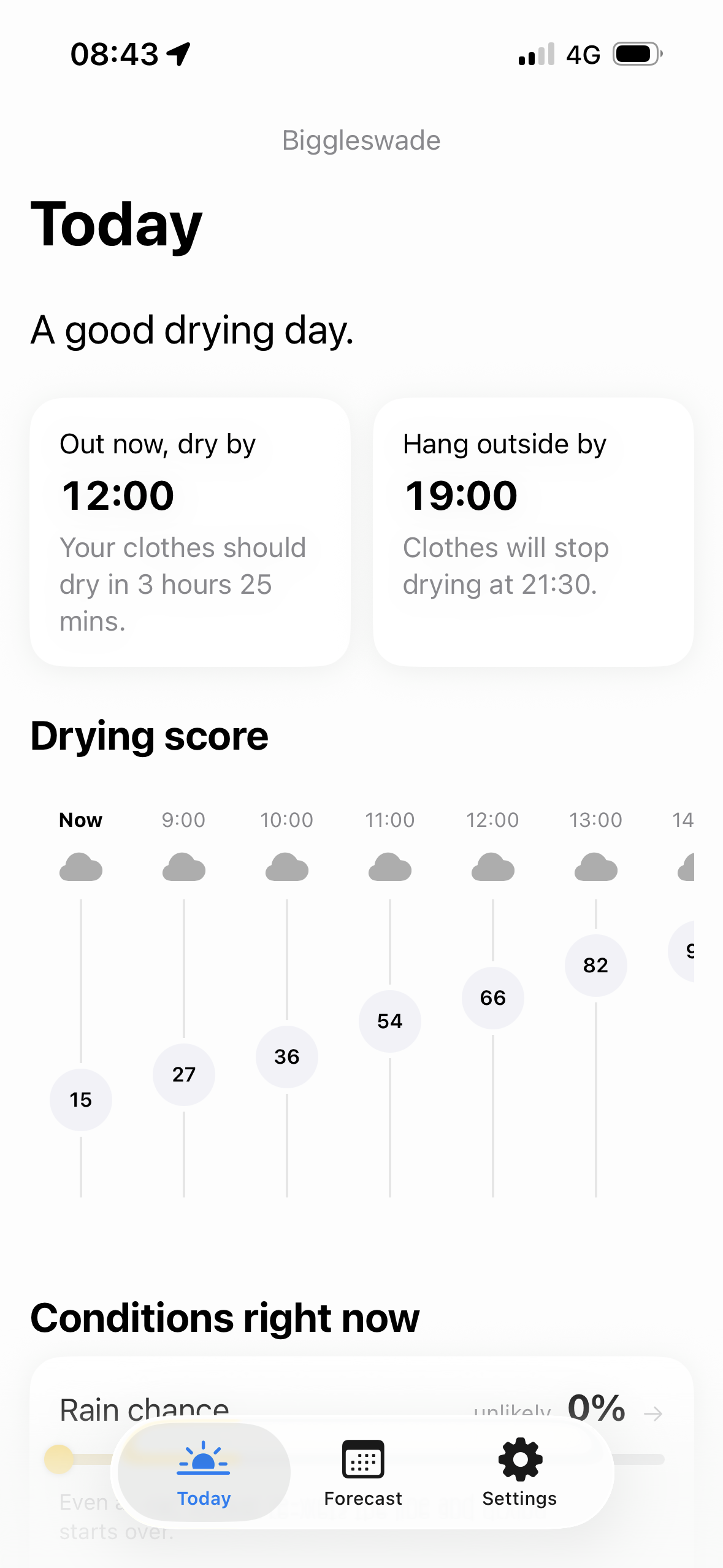
My Figma mockup on the left, and the final iOS app on the right
With a Figma reference, Claude broke down my redesign into issues and implemented in a couple of days. Along the way it exposed a number of decisions we needed to make, but nothing major. As you can see, the end result is very close to the mockup.
Down the hill to release
Once I had gotten over the hill and got a design that I felt represented the final thing, then it was a race ‘down the hill’ to the finish line.
There are all sorts of things you need to do to get an app live:
- Write a privacy policy and support page, and host them somewhere online
- Checking and fixing accessibility issues
- Create an app icon
- Make your App Store screenshots
- Write the App Store description
- Fill in the age rating, policy compliance, review info, etc. in App Store Connect
But once you get through all this (with Claude’s help) then it’s time to submit it for App Store Review. 5 days later, it was time to press the button to make it live.
You can do it too
I keep telling people that the best way to learn about AI is to build something. Developers have always had side projects, but UX people rarely do, because historically we were unable to actually make software. Now with AI, you can. And you learn so much by doing so.
Everyone has an idea for an app. Go and make it.