Evals are for everyone
How to test whether your AI feature actually behaves in the way you expect it to.

There’s a big difference between writing a good prompt for ChatGPT/Claude and writing a prompt that’s used as part of an AI feature or product.
When you’re using an LLM, you alone provide the input and you can see every output. This makes it easy to spot where it’s going wrong so you can refine your prompt to get a better output.
But when you’re designing an AI feature in a product, you can’t control the input and you can’t see the output. You therefore need to create a prompt that is robust and predictable for a wide variety of inputs.
I’m building a product to help parents deal with the overwhelming number of emails they get from schools. To do that, I need to get AI to identify events and to-do items in emails and attachments. This is a lot harder than it seems:
- “Please label all uniform and ensure long hair is tied up” - Sounds like a task but not really something you would put on a to-do list.
- “After February half term, pupils will be doing outdoor games” - Is this an event? Is there a task?
- “KS1 children should wear a plain white top and dark trousers” - You have to parse KS1 to include years 1 and 2.
Getting an AI to handle these reliably is genuinely difficult, and in my app, if this doesn’t work, the whole app doesn’t work. That’s what prompt engineering is all about: the art and science of making a prompt reliable enough to use in the wild.
What evals are and why you need them
When you’re creating a prompt that’s used as part of a product, you need a way to test its performance given different inputs. That’s what evaluations a.k.a. ‘evals’ are for.
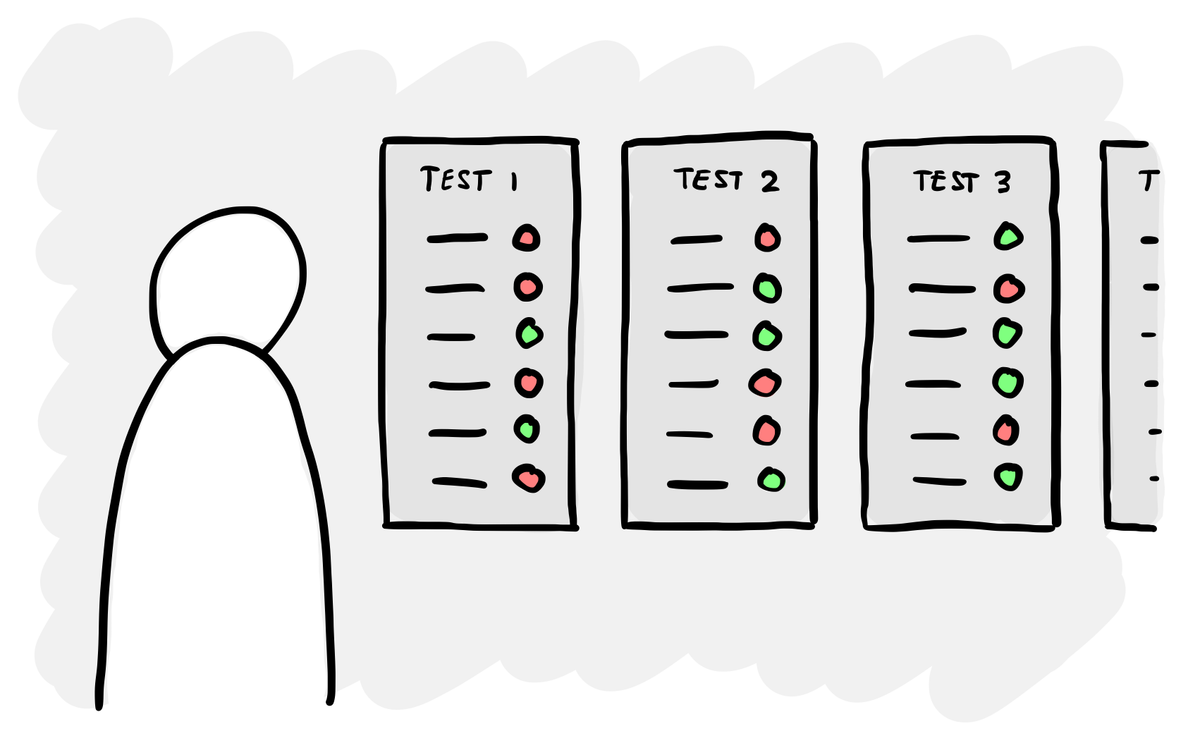
The idea is that instead of running your prompt manually and checking the results, you set up a repeatable test. You give it a dataset of real inputs, run the prompt against all of them, and score the outputs systematically.
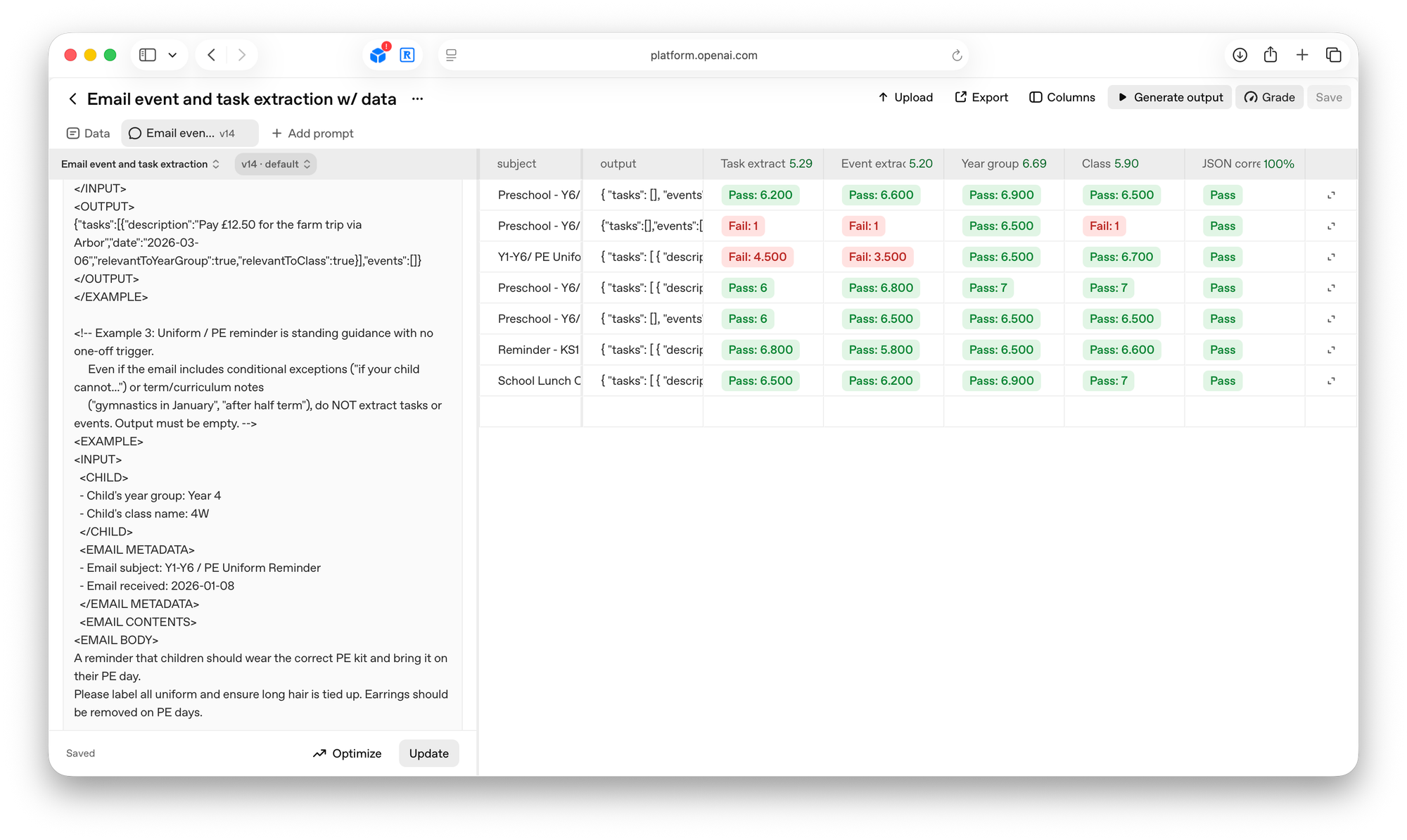
There are several ways of doing this, but for my purposes I’ve been using the evaluation tool in OpenAI’s platform. You upload test data – in my case, a set of real school emails – and the tool runs your prompt against each one. You then set up ‘graders’ – separate AI prompts that score specific aspects of the output. One grader might check whether the response is valid JSON. Another checks whether tasks were correctly identified. Another checks whether events were extracted with the right dates.
This way you can test and iterate your prompts in a structured and evidence-based way.
Getting sucked down the never-ending prompt engineering rabbit hole
The only problem is that prompt engineering is incredibly psychologically draining in a way that most product work isn’t.
When you build the UI, you change something and immediately see the result. There is a clear cause and effect. Progress is visible and cumulative.
Prompt engineering is the opposite in almost every way. Because LLMs are non-deterministic (they give you a different response every time and you don’t know why), it’s like rolling a dice every time you make a change. You improve one thing and break another. You switch to a model that should be better and it’s somehow worse.
You want your prompt to be ’done’ but you have to settle for gradually drifting towards good enough. It will never produce the results you want 100% of the time. This can be really frustrating and suck hours and hours of your time – it’s always tempting to try and make ‘just one more change’.
How to make this loop less painful
In retrospect, my biggest mistake early on was trying to do too much at once. I wrote and tested the entire prompt (which does multiple things and follows multiple rules) at once and then when it didn’t work, I couldn’t figure out why.
The approach that actually works is the same discipline that makes good software development: change one small thing, validate it, then move on to the next one. If you’re only changing one variable at a time, it’s much easier to make progress.
If I was starting with a new prompt, here’s what I’d do:
- Start with the simplest possible version. Don’t try to write a prompt that does everything from day one. Figure out the smallest, most contained version of the problem and get that working first. I tried to extract tasks and events in one go. I should have started with just tasks, got that working, then added events.
- Break your graders down. Don’t try to score everything in one grader – you can’t tell what’s passing and what’s failing. One grader for task extraction, one for event extraction, one for JSON validity. Don’t get stuck wondering whether it’s the prompt or the grader that’s wrong.
- Generate synthetic test cases. Real emails are great for developing a prompt, but when you’re testing a specific change, ask Claude to generate test data that target that change and all the edge cases.
Evals are for everyone, not just engineers
You might think that this is something for engineers to figure out, because they’re the ones building the backend processes that use prompts. But writing a prompt and the graders that test it aren’t purely technical problems.
In my app, the main question to solve for is ‘what counts as a task in a school email?’ That’s the sort of question that engineering can’t answer on their own. The AI feature you’re building needs to behave in the way that the people using it expect. So to create the right prompt and test it, you need to understand people’s mental models and expectations. And the people who are best placed to do that are typically researchers and designers.
As more products get built around AI, the question of how that AI behaves won’t just be a technical implementation detail. It’ll be a product decision, a research question and a design challenge.