An AI system for generating tailored CVs for each job that you apply for
A step-by-step guide to using your favourite LLM to create an ATS-friendly CV.

In a recent newsletter, I explained how AI and applicant tracking systems (ATSs) are changing CVs.
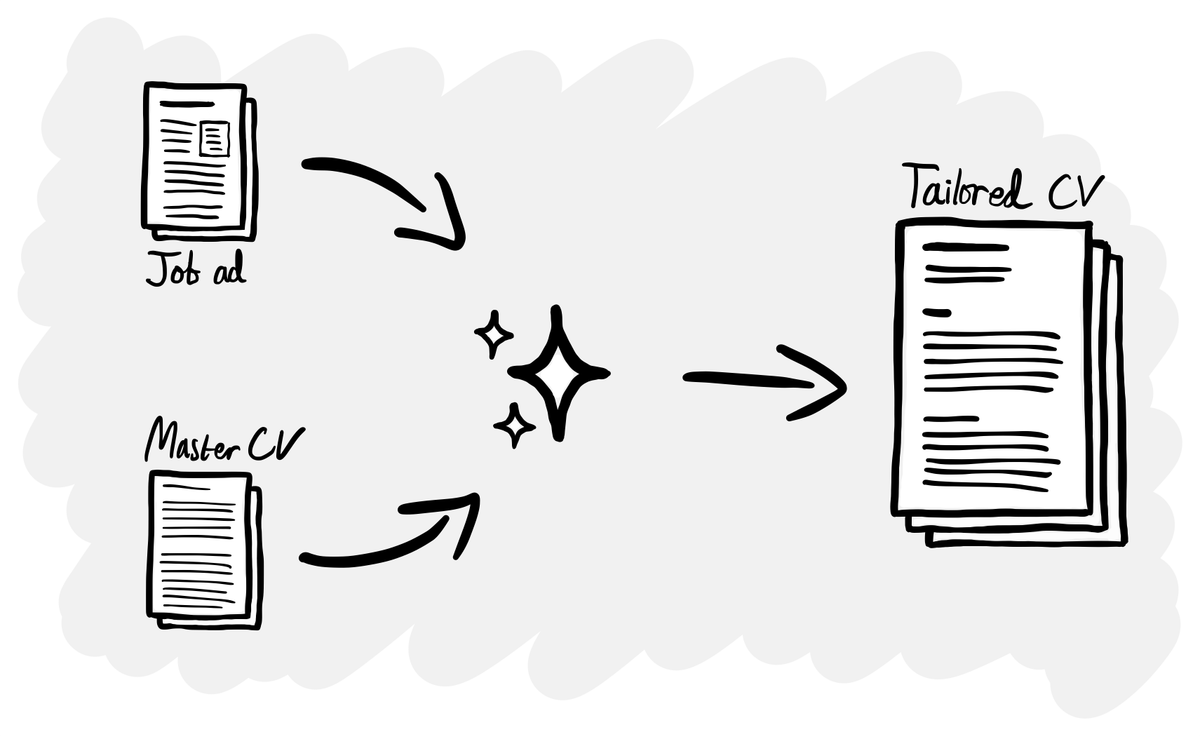
One thing candidates are doing is using AI to create a tailored version of their CV for each application, rather than just having a single static version that they use everywhere.
Manually tailoring your CV for each application used to be laborious, so most people just had one version that they used for every role.
Now candidates can use AI (in something like ChatGPT or a special job hunting tool) to create a CV for each application in a few minutes. They might need to do a quick edit for tone, but otherwise this is a relatively easy task for an LLM to do.
Given how competitive the job market is, even if this gives you a 5% advantage, it’s worth doing.
Ok, so how do you do this?
I said that people are doing this, but not how. That’s what today’s newsletter is all about.
Of course you could use a paid product like Teal, but making a DIY version using ChatGPT gives you more control over exactly how it works.
A few friends and former colleagues have been looking for new roles recently, so I created and shared this system with some of them. The reviews are positive – “it’s awesome” – so I thought I would share so that anyone else looking for a job can benefit.
Let’s get into the detail.
How it works
There are three parts to the system:
- A master CV file which is structured like a normal CV, but is 2-3 times longer than one you would submit. This serves as a library of content for the AI to pick from to make your tailored CV.
- A prompt to create a tailored CV. This takes a job application and then picks relevant content from the master CV to create your tailored CV.
- The Marked 2 app takes the tailored CV (which is in Markdown) and outputs it as a nicely formatted PDF.
Step 1: Create a master CV file
This Markdown file is a super long-form version of your CV, which is then used by the LLM to create your tailored CV.
I’ve uploaded an example file to GitHub, which you can download and then edit to reflect your own information.
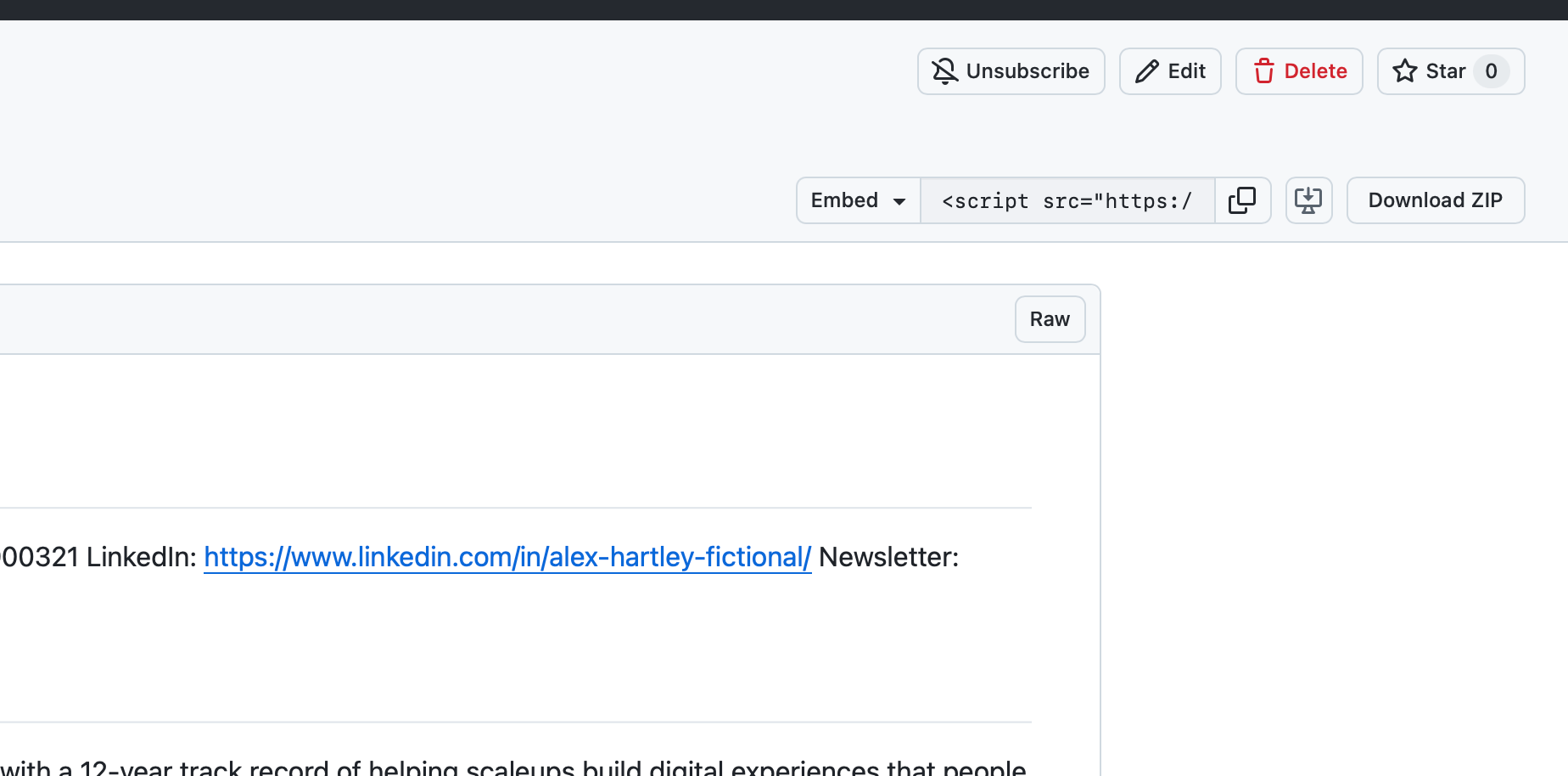
Creating the master CV takes time, but of course ChatGPT/Claude/etc can help us here. Try giving it your existing CV and portfolio, with a prompt like this:
GOAL
I need your help to create a 'master CV' as outlined in this newsletter: https://www.philmorton.co/an-ai-system-for-generating-tailored-cvs-for-each-job-that-you-apply-for

CONTEXT
A master CV is a file which is structured like a normal CV, but is 2-3 times longer than one you would submit. This serves as a library of content for AI to pick from to make your tailored CV.

TASK
1. Review the example Master CV file that I have provided you with.
2. Review my CV and portfolio files that I have provided you with.
3. Write a Master CV file for me, using only my information.
4. Output as a Markdown file.

GUIDELINES
- Maintain the structure and formatting used in the example Master CV file.
- Ensure that the master CV you produce only contains my details and none of those in the original example file.
- Remember that the master CV should be much longer than a normal CV, so do not worry about the length of the file.
Once you have your master CV Markdown file, you’re ready for the next step.
Step 2: Use a prompt to generate a tailored CV
Now that you have your master CV, you can use the following prompt which creates a tailored CV as a Markdown file based on a job ad and your master CV.
I recommend adding this prompt and your master CV to a project/custom GPT in your favourite LLM, so it’s easy to use repeatedly.
Remember to edit the prompt, adding your name where it says [YOUR NAME] and check that the file name of your master CV matches yours.
Use thinking/reasoning mode to ensure that the LLM has enough time to do a good job. It’ll take around 5-10 mins to process, but it’ll be worth the wait.
ROLE
You are a senior career editor specialising in leadership CVs for design, research and strategy roles. You edit for clarity, relevance and narrative impact while preserving factual accuracy and structure.

CONTEXT
The file "Master CV.md" contains [YOUR NAME]'s complete professional record, written in Markdown, including full role descriptions, achievements and project summaries. For each job application you will receive a job advert or job description

Your task is to create a tailored two-to-three-page CV that keeps the same structure, role order and Markdown formatting as the Master CV, but condenses and aligns it with the job description.

TASK
1. Analyse the job advert
   - Identify the top 5–7 capabilities or themes emphasised (for example leadership, research, service design, stakeholder management)
   - Note the domains or industries mentioned
   - Determine seniority level and behavioural traits

2. Map relevance from "Master CV.md"
   - Review all sections and identify which achievements, responsibilities and projects are most relevant to the advert
   - Decide which details, skills and examples best demonstrate alignment to the role
   - Note areas that can be condensed or summarised without losing factual accuracy

3. Write the tailored CV
   - Use the same Markdown heading and bullet structure as "Master CV.md"
   - Keep all original job titles and section headings in the same order
   - Follow these target lengths as guidance:
     * Header: keep identical contact details and layout
     * Summary: 150 words in two paragraphs, linking Phil’s career themes to the role
     * Core Skills: 10 bullet points; choose the most relevant skills and keep the format of each bullet similar to "Master CV.md"
     * Experience:
         - Current role: up to 250 words focusing on aspects relevant to the advert
         - Recent past roles: 150 words each
         - Older roles: 50 words each
     * Education: copy what is written in "Master CV.md" exactly.
     * Public speaking: copy what is written in "Master CV.md" exactly.
     * Volunteer work: copy what is written in "Master CV.md" exactly.

GUIDELINES
- Maintain the exact Markdown structure and bullet style from "Master CV.md"
- Before the Experience section header, ensure there is a <!--BREAK--> to aid with subsequent PDF exports from Markdown
- Use British English
- Maintain a professional, evidence-based tone
- Use concise phrasing with strong verbs (for example “achieved X by doing Y”)
- Never alter role order or job titles
- Ensure factual accuracy and consistent formatting throughout

OUTPUT FORMAT
- Share a link to the tailored CV as a markdown file so that I can download it.
- File name format: [YOUR NAME] - [company name] [job title] - [month as three letters] [year].md
Step 3: Turn the Markdown file into a nicely formatted PDF
Now you have a tailored CV, but it’s in Markdown. To easily convert it into a PDF, I recommend using the Marked 2 app.
This costs $13.99 one-off, but there’s a free trial.
To use it, simply open the tailored CV markdown file in Marked 2, choose your theme and then export to PDF.
One essential tip: to force a page break, add <!--BREAK--> to your Markdown file where you need it.
A couple of examples
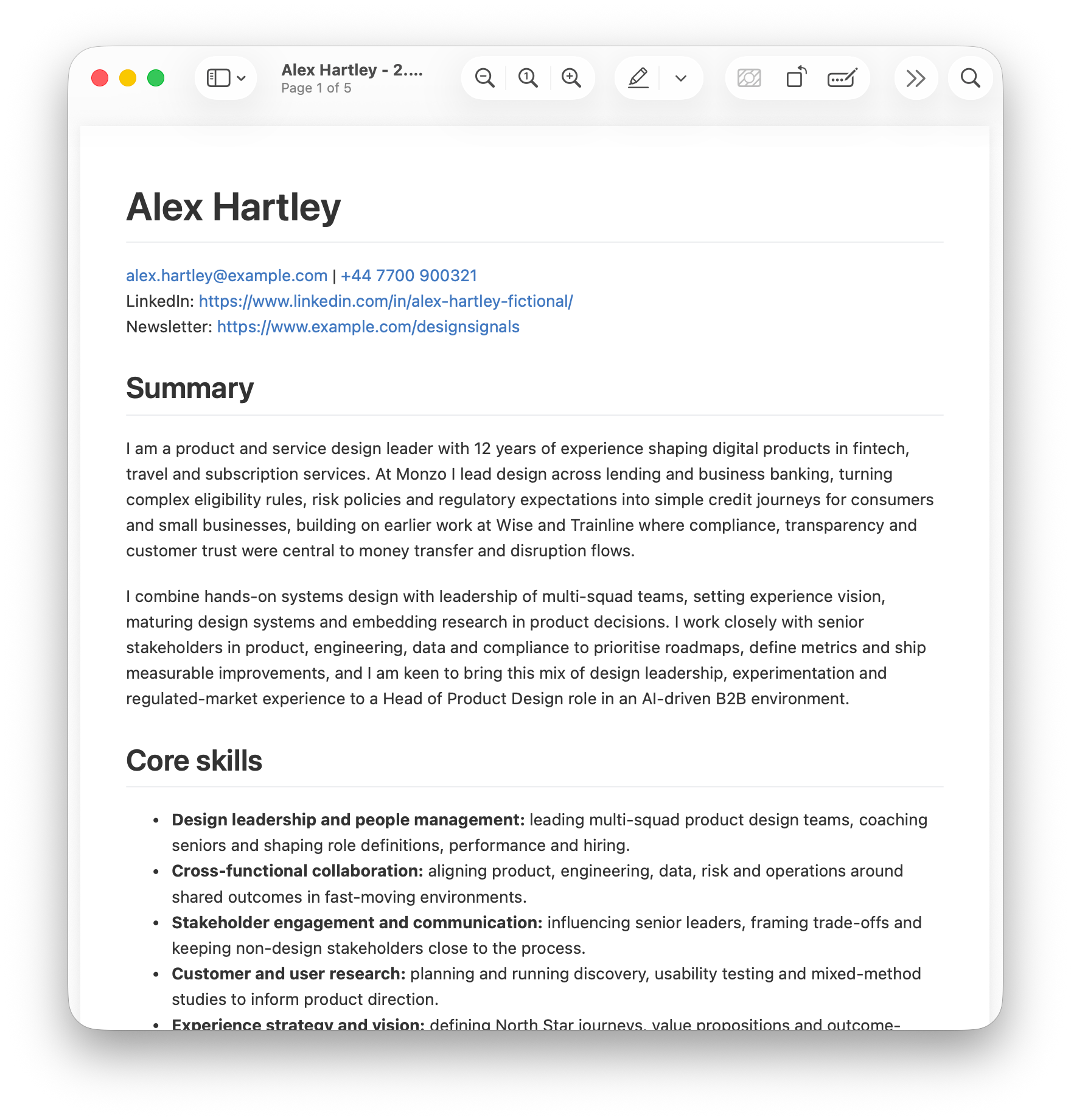
Using the example master CV I shared earlier, here are two CVs the prompt above has created for the following jobs:
Head of Product Design at Cube, a leadership role
Here you can see how it’s picked up “If you are passionate about leveraging technology to transform regulatory compliance...” from the job ad and put in references to compliance, relations and risk into the summary.
Senior Staff Product Designer at Miro, an IC role
In this example, it’s gone for “product and systems design leader” because it’s noticed the requirement for “Exceptional strategic and systems thinking…” in the job ad.
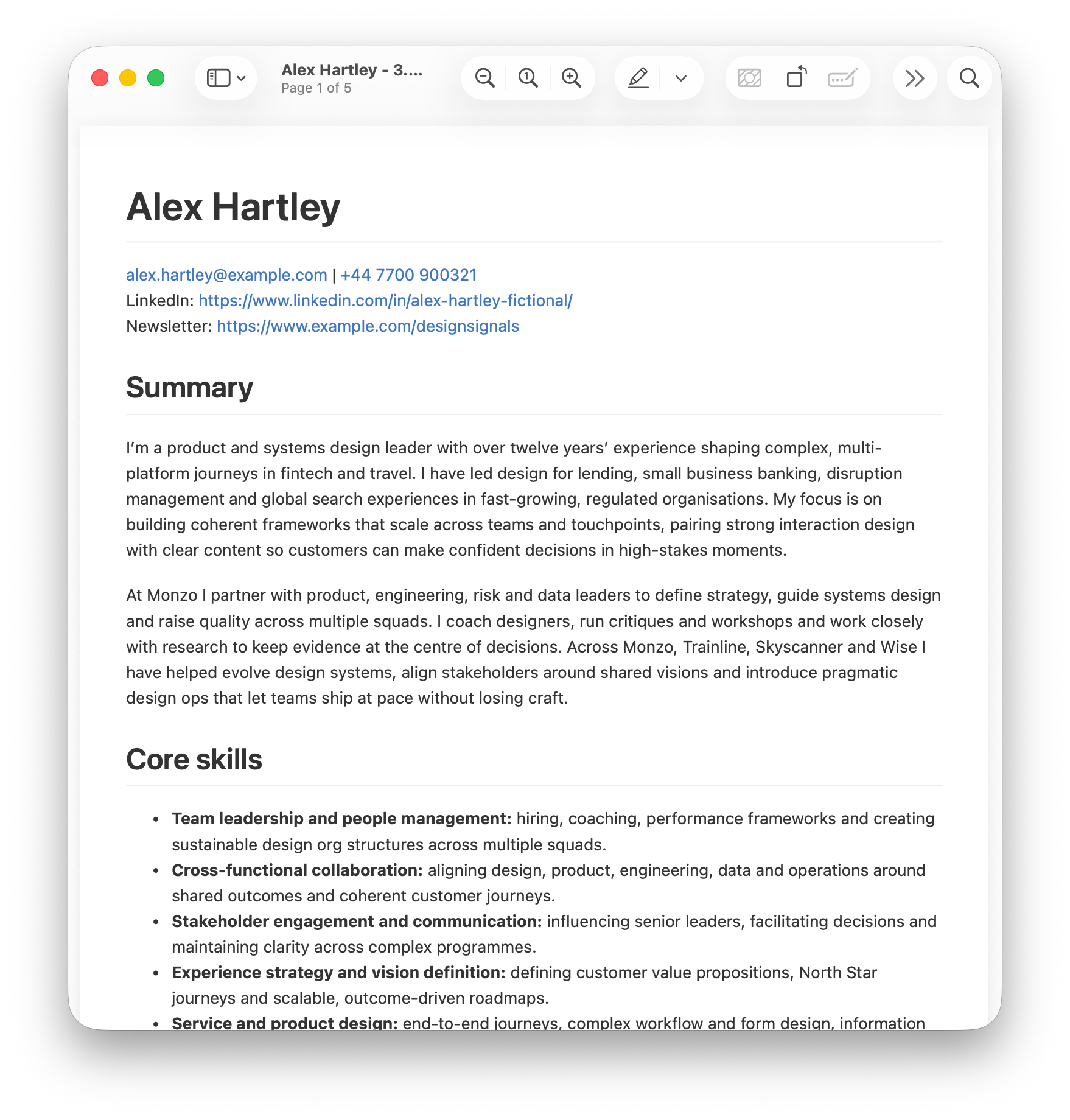
As you can see, each time it’s used the master CV as a base, but is emphasising different skills and experience, based on the role. The differences may not seem significant between the CVs, but all of the tiny changes add up to a make big impact overall.
Getting you past the initial screener
In today’s job market, having an AI and ATS-friendly CV is essential. If you can go beyond that and tailor it to each application, you’re giving yourself an even better chance of passing that first hurdle.
I hope this proves useful for readers who are on the hunt for a new job. Try it out and let me know how you get on.